
Professional Audio-Visual (ProAV) systems demand reliable, low-latency networks to deliver flawless performance. TP-Link’s Omada series switches make it simple to configure your network for Dante, Q-LAN, AES67, and other ProAV protocols — ensuring your audio and video streams run smoothly.
Our Omada Switch Configuration Guide walks you through everything you need to know, from QoS prioritisation to IGMP Snooping, VLAN setup, and advanced network optimisation. Whether you’re deploying SG2xxx, SG3xxx, SG5xxx, or SG6xxx series switches, the guide covers all essential settings to deliver stable, high-performance ProAV connectivity.
Key Highlights:
-
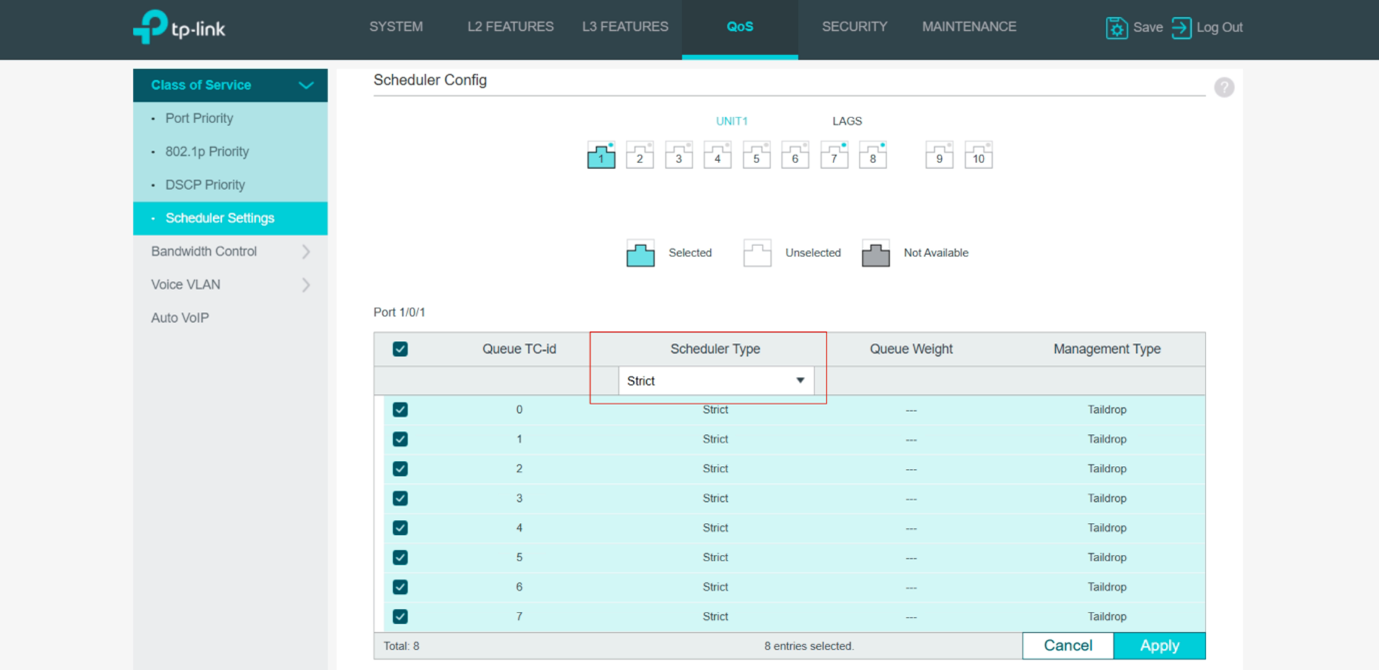
QoS Setup: Prioritise time-sensitive ProAV traffic with DSCP mapping and Strict Priority (SP) mode.
-
IGMP Snooping & Multicast: Optimise multicast traffic for Dante, Q-LAN, AES67, and more.
-
VLAN & Network Segmentation: Keep your ProAV traffic secure and isolated from other network devices.
-
PTP Timing Guidance: Understand when PTP-aware switches are needed for accurate clock synchronisation.
-
Easy & Entry-Level Options: From full-managed switches to Omada Easy Managed switches, scale your ProAV network according to your needs.
With clear step-by-step instructions and best practices, this guide is perfect for AV installers, network managers, and IT professionals looking to get the most out of their Omada ProAV network.
If you’re curious to learn more or ready to take the next step, our expert team is here to help. Reach out to us at sales@elecfron.com for more information or to get started with TP-Link. We’re excited to assist you in enhancing your business!